
|
27-29 Apr 2026 Rome (Italy)
|
|
|
|
MecaNano Network
Pre-requisites for the MecaNano General Meeting (mandatory)
Due to administrative constraints, all participants in the MecaNano General Meeting must be members of the MecaNano network.
Please apply to the network in parallel with your General Meeting registration (Sciencesconf).
Note: the General Meeting website (Sciencesconf) and the network (e-COST) are managed on independent systems, so you will need separate logins and applications.
Note: the General Meeting website (Sciencesconf) and the network (e-COST) are managed on independent systems, so you will need separate logins and applications.
How to apply to the network (5 quick steps)
Step 1: Go to https://e-services.cost.eu/action/CA21121/working-groups/apply
Step 2: If you have never taken part in a COST Action, create an e-COST login and password.
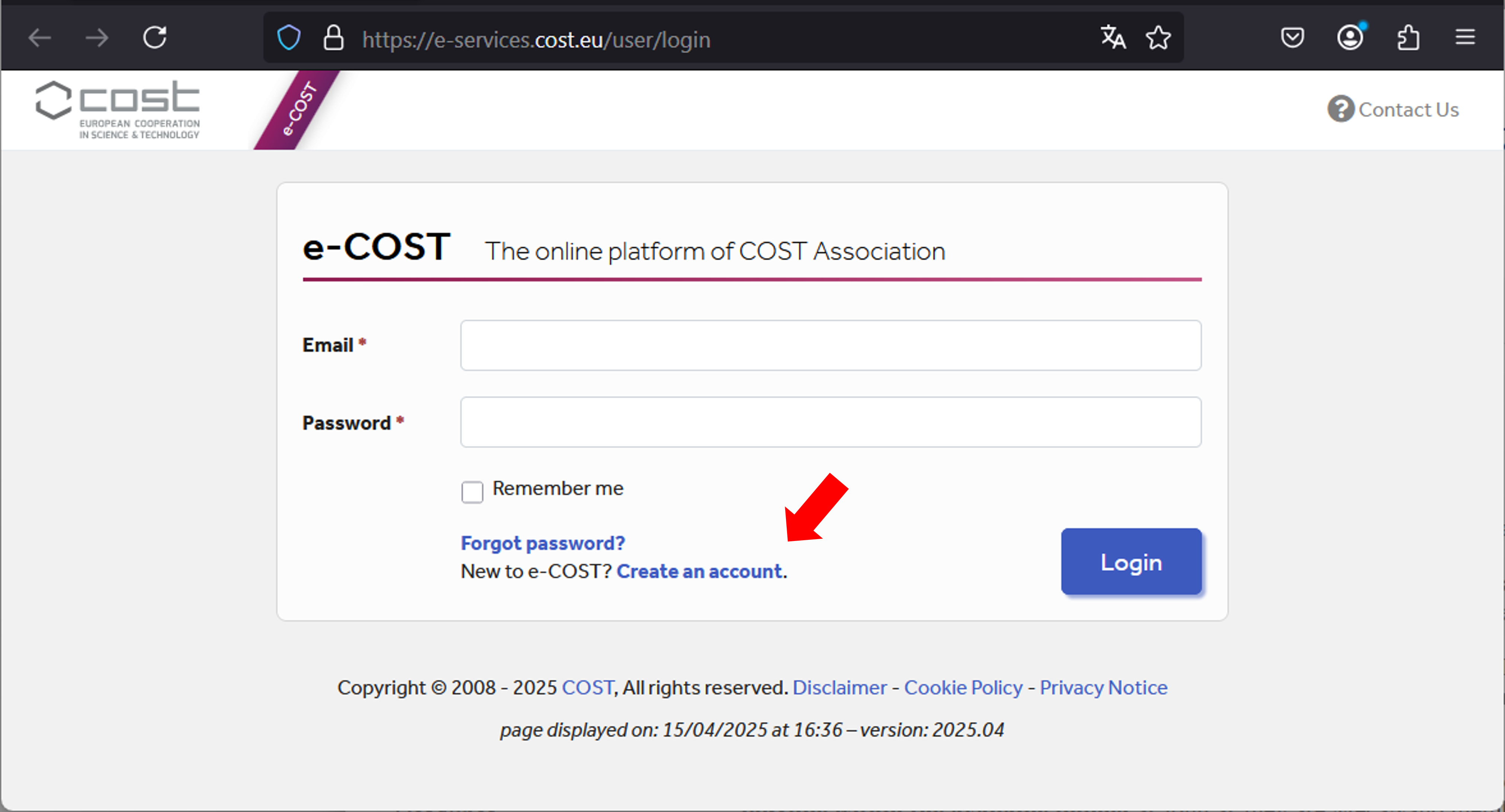
Account creation on e-COST
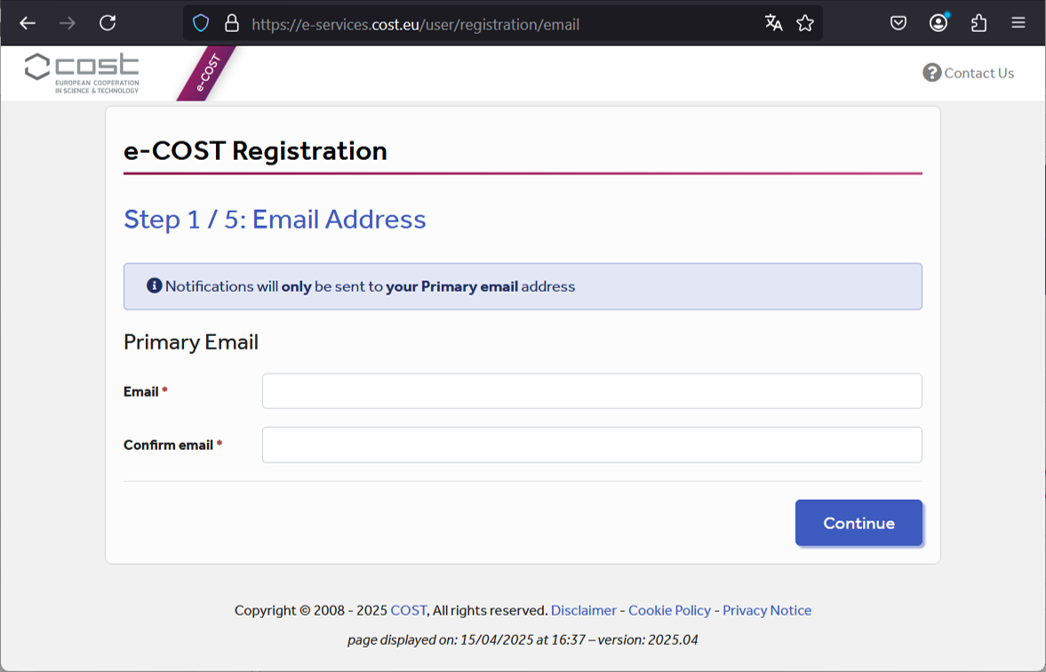
Complete your profile (no CV required)
Step 3: Log in with your new credentials and return to the CA21121 application page.
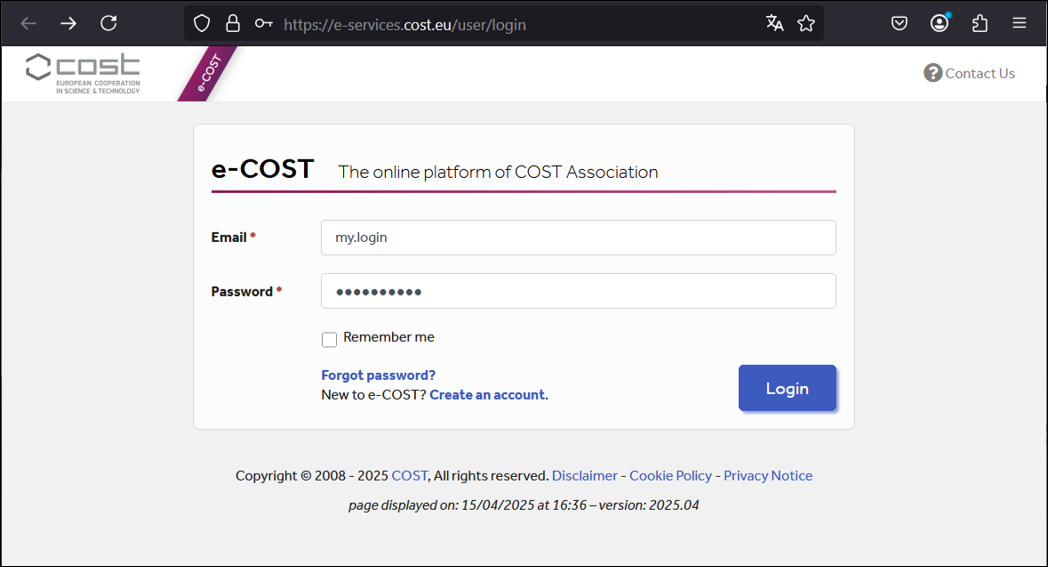
Access the Working Groups application
Step 4: Fill in the form. Select all relevant Working Groups to receive communications on those topics. A short background paragraph is sufficient; it confirms your fit with the network. Under “Contribution”, please mention that you intend to participate in the MecaNano General Meeting.
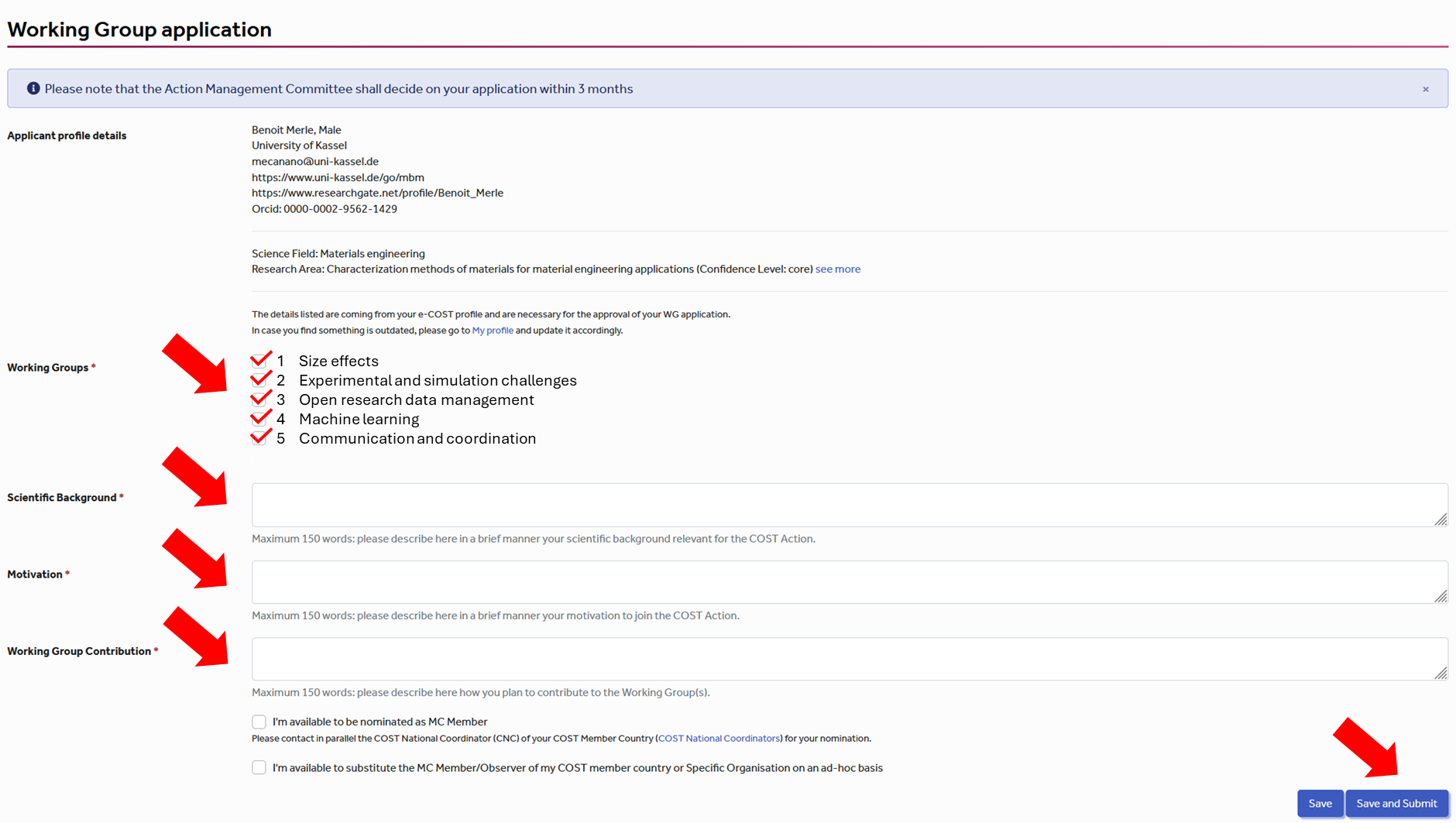
Example of a completed form (for illustration)
Step 5: Applications are processed manually. Please allow a few weeks to receive the confirmation email.
Additional information
Stay informed: registration to MecaNano enables newsletters and event announcements, including General Meeting communications.
Reminder: your General Meeting registration on Sciencesconf is separate from your e-COST network application.
Reminder: your General Meeting registration on Sciencesconf is separate from your e-COST network application.